Best Ways to Collect Wedding Photos From Your Guests (2026)
July 8, 2026 · 3 min read

There are more ways than ever to gather your guests' wedding photos — but most couples end up with a fraction of what was actually taken. The difference between "12 photos" and "1,200" almost always comes down to one thing: how little you ask of your guests. Here's an honest guide to the options in 2026.
A quick note: features and prices change often — always check each tool's current site before you decide. The comparisons below reflect what these tools were offering at the time of writing.
The one rule that matters most: no app
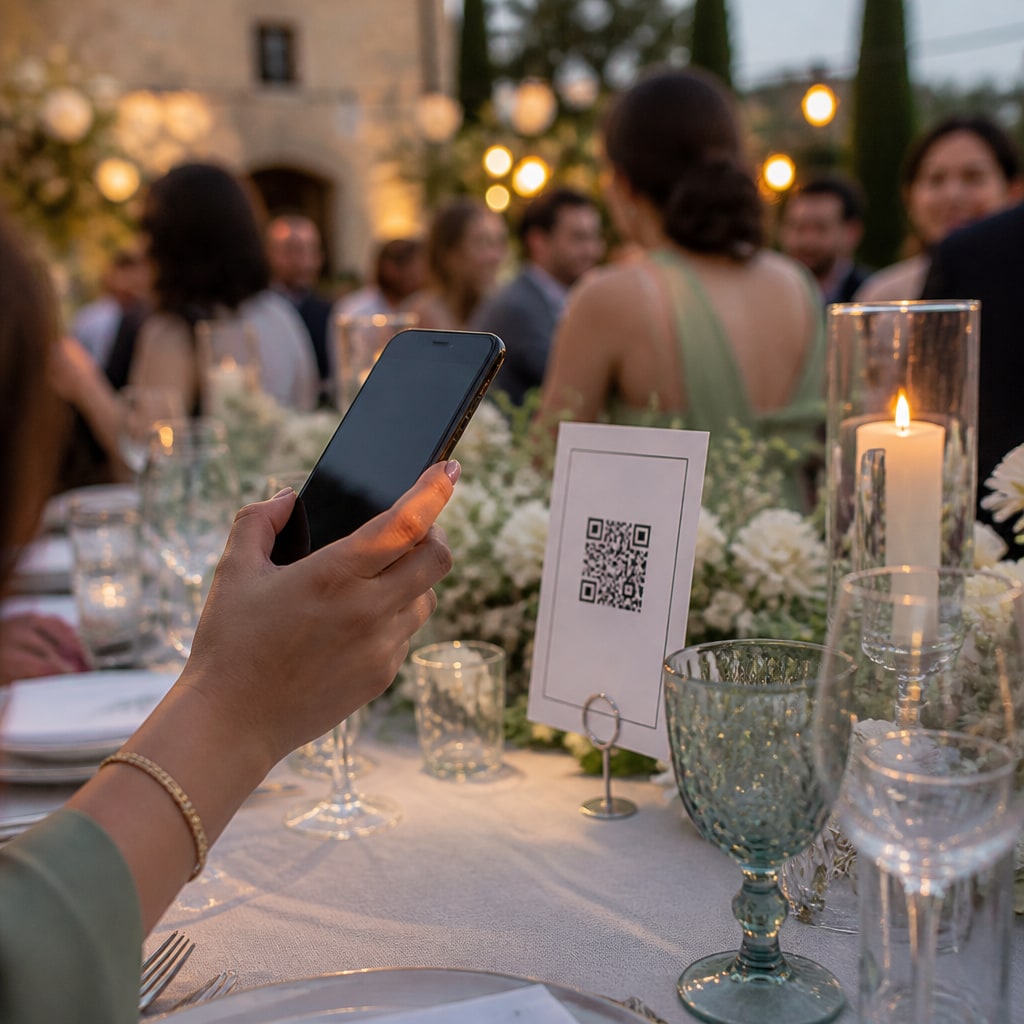
If guests have to download an app from the store, participation drops sharply — a lot of the room simply never bothers. The tools that work best in 2026 run entirely in the browser: guests scan a QR code or open a link and upload, with no account and no install. Prioritise that above almost everything else.
What to compare
- No app for guests (browser/QR upload) — the single biggest driver of participation.
- Live gallery everyone can see as photos arrive.
- Upload window & storage length — how long guests can add, and how long the gallery lives.
- Video support and length limits.
- Moderation & privacy — approve-before-live, private events, deleting your own uploads.
- Pricing model — one-time vs subscription.
- Big-screen / TV wall for the reception.
A fair look at some popular options
- GuestCam — browser-based, no app for guests; known for long upload windows (up to ~12 months) so late uploads still count.
- Pix Wedding — focuses hard on guest participation; free to start with a one-time upgrade (historically from around $49) unlocking unlimited uploads, video and branding.
- Kululu — web-based with a free tier plus paid event upgrades; a straightforward option for a single event.
- Wedbox — offers an iPad "photo-booth" mode alongside guest uploads, nice if you want a staffed booth moment.
Each has a genuine strength — pick based on what matters most for your day (storage length, participation, a booth, or budget), and confirm current pricing on their sites.
Where BucketPic fits
BucketPic is built around that "no app" rule: guests scan a QR and upload from the browser in seconds. Where it leans in is the live TV wall (photos on the big screen as they land), host controls (approve-before-live, private events, per-guest limits), and one honest per-event price rather than a subscription. We're newer than some names above — but the fundamentals (no app, live gallery, download everything) are exactly what gets you the most photos.
How to choose, quickly
- Most participation for the least fuss: any no-app/QR tool — that's the deciding factor.
- Want the big-screen moment: pick one with a built-in TV wall.
- On a budget / one event: favour a one-time price over a subscription.
- Lots of late uploaders: check the upload-window length.
Whatever you choose, get the QR on the tables — that's what turns a room full of phones into one full album.
Create your free event and see how easy the no-app flow is.
Ready to collect every photo?
Create a free event, share the QR, and watch the gallery fill up — no app for your guests.
Related reading
How to Capture Every Angle of Your Event (Not Just the Photographer's)
One photographer sees one angle at a time. Here's how to capture your whole event from every guest's point of view — automatically, in one shared gallery.
Guest Photos + Your Photographer: How Candids Complete the Album
Your photographer nails the big moments. Guest candids catch everything in between. Here's how the two work together — and why photographers encourage it.
Disposable vs. Digital Cameras at Weddings: The Modern Way to Get Candid Guest Shots
Love the disposable-camera look but not the cost or the lost shots? Here's an honest comparison — and the modern way to capture candid guest photos at your wedding.